
Loading…
Loading…
How ERPNext invoices and settles in foreign currency, and how its Exchange Rate Revaluation tool restates your outstanding forex balances at period-end so the gain or loss is booked, not guessed.
If you invoice in dollars, buy in euros, or hold a foreign-currency bank balance, the rupee value of what you're owed and what you owe changes every single day — whether or not you touch the books. Left unmanaged, that drift shows up as a nasty surprise at year-end, a debtors ledger that no longer ties to the bank, and an auditor's query you can't answer. This paper explains how ERPNext handles multi-currency properly: how it stores exchange rates, invoices and settles in foreign currency, and — crucially — how its Exchange Rate Revaluation tool restates your still-open foreign-currency balances at each period-end and books the resulting unrealised gain or loss to a dedicated account. We ground everything in the real ERPNext accounting doctypes, draw the honest line between realised and unrealised differences, and set out the practices that keep the numbers audit-ready under Indian standards.
The complete paper — every section, in a clean branded PDF you can share with your team. Free, no email required.
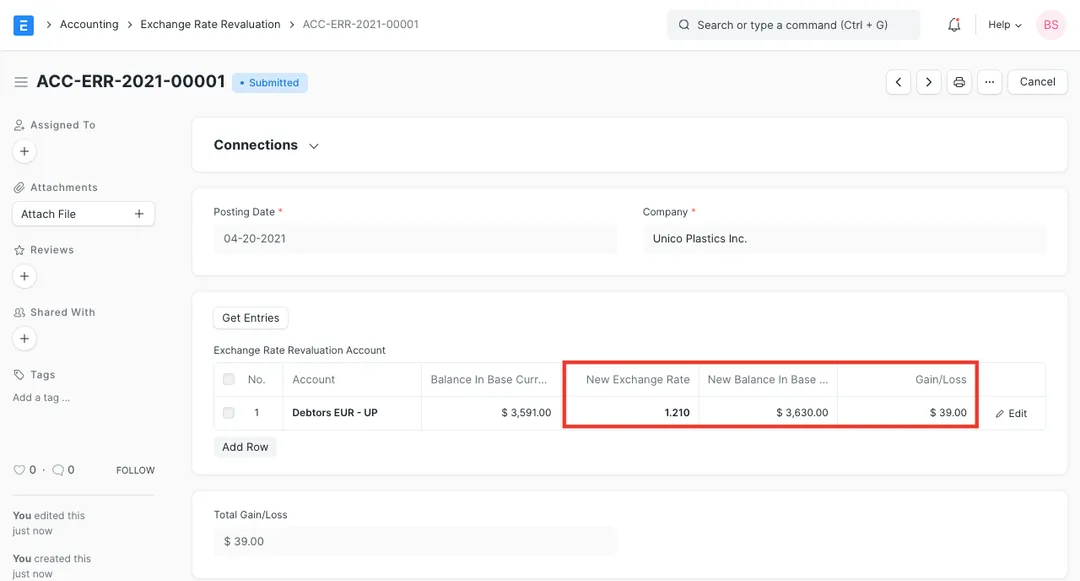
Yes. ERPNext's Exchange Rate Revaluation tool restates your open foreign-currency monetary balances — debtors, creditors and foreign bank accounts — at the closing rate on a chosen posting date and books the unrealised gain or loss to the Unrealized Exchange Gain/Loss Account set on the Company. That is exactly the restatement AS 11 and Ind AS 21 require at each reporting date, and it leaves an auditable document behind each posting.
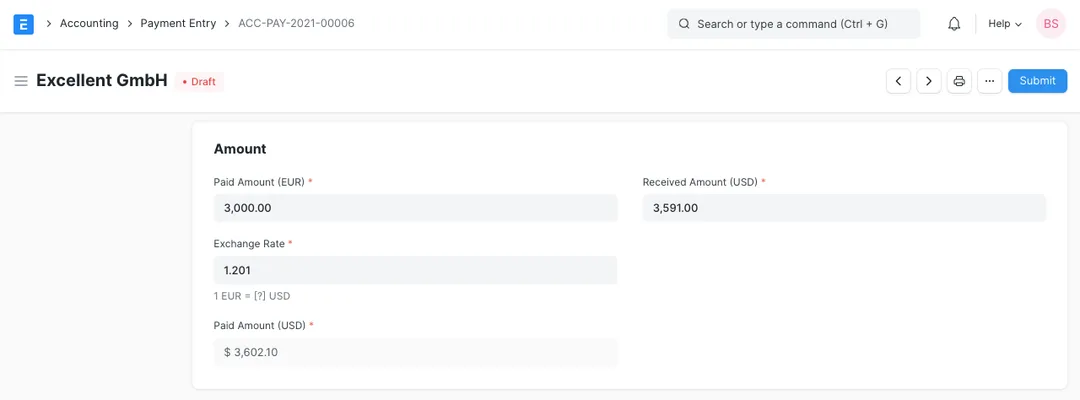
A payment books a realised gain or loss — the balance is actually settled, cash has changed hands, and the rupees received differ from the rupees the invoice was booked at. A revaluation books an unrealised gain or loss — the notional movement on a balance that is still open at your reporting date. The unrealised figure is provisional and is usually reversed next period, so the eventual settlement books the true realised amount.
ERPNext stores rates in the Currency Exchange doctype as dated From → To rates, with separate flags for buying and selling. It can fetch rates automatically from a currency-exchange service or fall back to the last rate you maintained, and you can override the rate on any individual transaction when your bank quotes you a different one. The important thing is to fix one policy — auto-fetched or manually maintained — and apply it consistently.
Run the revaluation at each reporting date — monthly is common for exporters and importers — always dated to the actual reporting date using your closing-rate policy. Because the entry books a provisional, unrealised figure, most organisations reverse it at the start of the next period so it doesn't double-count against the realised gain or loss booked when the balance finally settles. ERPNext can create that reversing journal for you.
Get a clear plan, an honest timeline, and a fixed scope. Talk to a real expert today — whether or not you work with us.
or write to info@acube.co
Kochi (Kadavanthra & Infopark) · Thiruvananthapuram · across India & overseas · In business since 2011