
Loading…
Loading…
How ERPNext's Putaway Rules decide where received stock goes, and how Pick Lists turn an order into an accurate, batch- and serial-aware picking run.
A small warehouse runs on memory. Two people know where everything is, and orders go out right because someone walks the floor and checks. Then volume grows — more SKUs, more bins, more staff, more shifts — and that memory stops scaling. Stock gets put wherever there's a gap, pickers hunt for items, wrong or expired lots ship, and returns climb. This paper looks at two ordinary but high-leverage ERPNext features that attack fulfilment errors from both ends of the flow. Putaway Rules decide where received stock should land — by capacity and priority, per item, per warehouse — so goods don't get stashed at random on the inbound side. Pick Lists organise the outbound side: they take a delivery or a manufacturing demand, suggest exactly which warehouse and, where relevant, which batch and serial to pick from, and give the floor a structured picking run instead of a guessing game. Both are real, standard ERPNext Stock documents — we ground everything here in how those documents actually behave, and where an experienced partner makes the difference.
The complete paper — every section, in a clean branded PDF you can share with your team. Free, no email required.
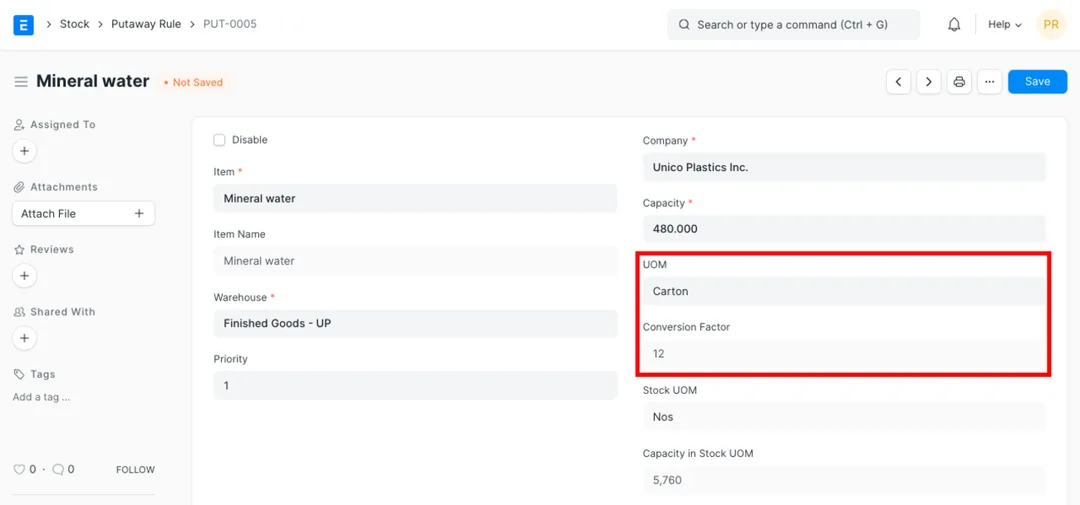
A Putaway Rule links an item to a warehouse and gives that warehouse a capacity and a priority. When you receive stock and apply putaway on a Purchase Receipt or Stock Entry, ERPNext uses the active rules to suggest where each item goes — filling higher-priority warehouses first, based on the free space each one actually has (its capacity minus current stock). If the full quantity can't be placed, ERPNext tells you which items and quantities couldn't be accommodated rather than overfilling a location.
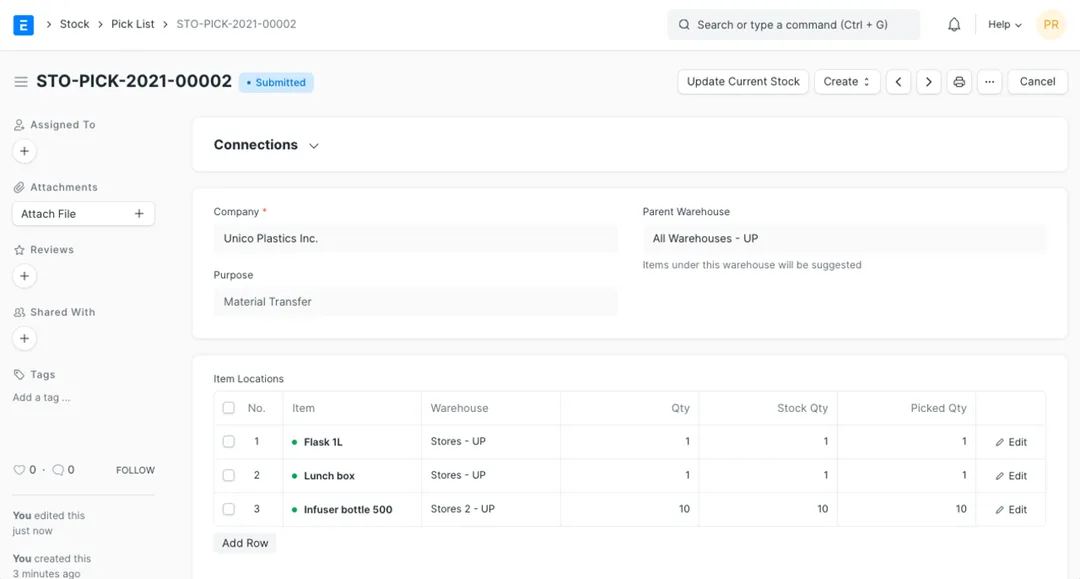
A Pick List is a standard, submittable ERPNext Stock document that organises picking for a purpose — a Delivery to a customer, a Material Transfer, or a Material Transfer for Manufacture that feeds a work order. It builds an Item Locations table showing each item, the source warehouse to pick from, the quantity required and the quantity picked, so the floor works a concrete list instead of picking from memory. Its status flow and links forward to the delivery or stock entry let a supervisor see what's picked and what's outstanding.
Yes. For items configured for batch or serial tracking, a Pick List resolves beyond just warehouse and quantity down to which batches and which serial numbers to pick, using ERPNext's serial-and-batch handling. It can steer pickers toward the right lot (supporting first-expiry-style discipline) and capture the exact serials that leave, and it validates at picking time — for example flagging expired batches and checking serial status — so problems surface on the document rather than at the customer.
No. Both Putaway Rule and Pick List are standard documents in ERPNext's core Stock module — no extra app is required to use them. The value comes from configuring them to match your warehouse: realistic capacities and sensible priorities on the putaway side, and correctly modelled warehouses plus proper batch/serial settings on the items so pick lists behave the way your floor actually works. That setup is where an experienced ERPNext partner makes the difference.
Get a clear plan, an honest timeline, and a fixed scope. Talk to a real expert today — whether or not you work with us.
or write to info@acube.co
Kochi (Kadavanthra & Infopark) · Thiruvananthapuram · across India & overseas · In business since 2011