
Loading…
Loading…
How ERPNext sets stock aside against a specific sales order so the same unit is never promised to two customers — and how to read what you can still safely promise.
Every business that sells physical goods has done it at least once: two orders, one unit of stock, and a promise you can't keep. The item was 'in stock' when both salespeople looked — because on-hand quantity doesn't know what's already been sold. This paper explains how ERPNext closes that gap with Stock Reservation: a mechanism that sets a specific quantity aside against a specific sales order, in a specific warehouse, so it can't be counted as available for anything else. It walks through how reservation actually works — the Stock Reservation Entry that gets created, reserving from the sales order or a pick list, and the difference between what's physically on-hand and what you can still promise (available-to-promise). It's grounded in the real ERPNext doctype, and it's honest about when reservation helps and when it just adds friction.

The complete paper — every section, in a clean branded PDF you can share with your team. Free, no email required.
It sets a specific quantity of an item aside, in a specific warehouse, against a specific document — usually a confirmed sales order — so that quantity is no longer counted as available to promise elsewhere. ERPNext records this as a Stock Reservation Entry. The stock doesn't physically move; only its commercial availability changes, which is what stops the same unit being sold twice.
On-hand quantity is what's physically in the warehouse right now. Available-to-promise is what's left once you subtract everything already committed to other orders. A warehouse can show 100 on-hand yet have nothing available if all 100 are reserved. ERPNext tracks a reserved quantity per item and warehouse and nets it out of projected quantity, so if your team quotes from projected availability rather than raw on-hand, the phantom stock disappears.
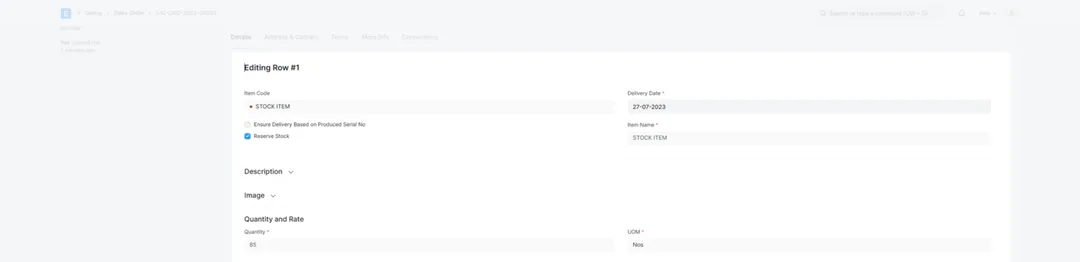
Both. You can reserve manually from the sales order (tick Reserve Stock on the line, then reserve by warehouse and quantity), or enable auto-reservation so stock is set aside automatically when a sales order is submitted. ERPNext can also reserve from a pick list, and optionally reserve stock for a sales order when a purchase receipt lands against a material request raised for that order. Auto-reservation is convenient but should be enabled deliberately, so draft or speculative orders don't lock up stock you meant to keep fluid.
If you enable Allow Partial Reservation, an order you can't fully cover doesn't fail — ERPNext reserves what's available and leaves the rest open. For example, a sales order for 100 units against 90 available creates a reservation for 90, banking that stock for the customer immediately while the shortfall of 10 stays visible to source separately. For serial- or batch-tracked items, reservation can go further and set aside specific serial numbers or batches rather than just a count.
Get a clear plan, an honest timeline, and a fixed scope. Talk to a real expert today — whether or not you work with us.
or write to info@acube.co
Kochi (Kadavanthra & Infopark) · Thiruvananthapuram · across India & overseas · In business since 2011