
Loading…
Loading…
How to bend ERPNext to your business without painting yourself into a corner — the Frappe customisation ladder, from no-code fields to a proper custom app, and why forking core is the one road to avoid.
The best thing about ERPNext is that you can change almost anything. The most expensive mistake teams make is changing it the wrong way. ERPNext runs on the Frappe framework, which offers a deliberate ladder of customisation mechanisms — from no-code custom fields and property setters, through light client and server scripts, up to a proper version-controlled custom app that hooks into the system without touching it. Used correctly, every one of these survives an upgrade untouched. The trap is the shortcut: editing ERPNext's core files directly, or forking the codebase. It works on day one and turns every future upgrade into a merge-conflict nightmare — the single most common reason a business gets stranded on an old, unsupported version. This paper maps the safe ladder, explains what belongs on each rung, and lays out a governance policy so your customisations stay an asset instead of a liability.
The complete paper — every section, in a clean branded PDF you can share with your team. Free, no email required.
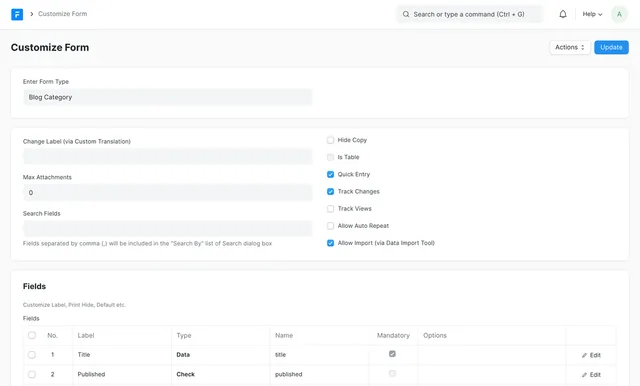
Yes — that's exactly what the Frappe framework is designed for. Custom Fields, Property Setters (via Customize Form), Client Scripts, Server Scripts and a custom app with hooks all live outside the core files ERPNext ships, either as records in your database or in your own version-controlled app. Because none of them edit core, an upgrade flows straight past them. The only thing that breaks upgrades is editing or forking the core code directly.
A Client Script runs in the browser and handles form-level behaviour — validating input, setting or hiding fields, fetching from linked records, live calculations — but it only fires in the standard desk form. A Server Script runs server-side in a restricted Python sandbox on document events, APIs, schedulers or permission queries, so its logic is enforced no matter how the data arrives (desk, API, import or console). Use a Client Script for interface feedback and a Server Script when a rule must be authoritative.
Use the no-code and scripting rungs for fields, property tweaks and self-contained logic. Move to a custom app when you need structured, versioned extension: your own DocTypes, complex or reusable business logic, integrations, custom reports and dashboards, or overrides of standard behaviour. A custom app is created with bench new-app, installed alongside ERPNext, and extends the system through hooks.py without touching core — so it's fully upgrade-safe and code-reviewable.
Because you'd be taking ownership of code the framework authors also maintain and keep changing. Every future release that touches your edited files arrives as a merge conflict you must resolve and re-test by hand, and the cost compounds until upgrading becomes so painful it stops — stranding you on an old, unsupported version without security fixes or new features. Modified or forked framework versions also aren't supported. Almost anything a fork could achieve can instead be done with a custom field, a script, or a hook or override in a custom app.
Get a clear plan, an honest timeline, and a fixed scope. Talk to a real expert today — whether or not you work with us.
or write to info@acube.co
Kochi (Kadavanthra & Infopark) · Thiruvananthapuram · across India & overseas · In business since 2011