
Loading…
Loading…
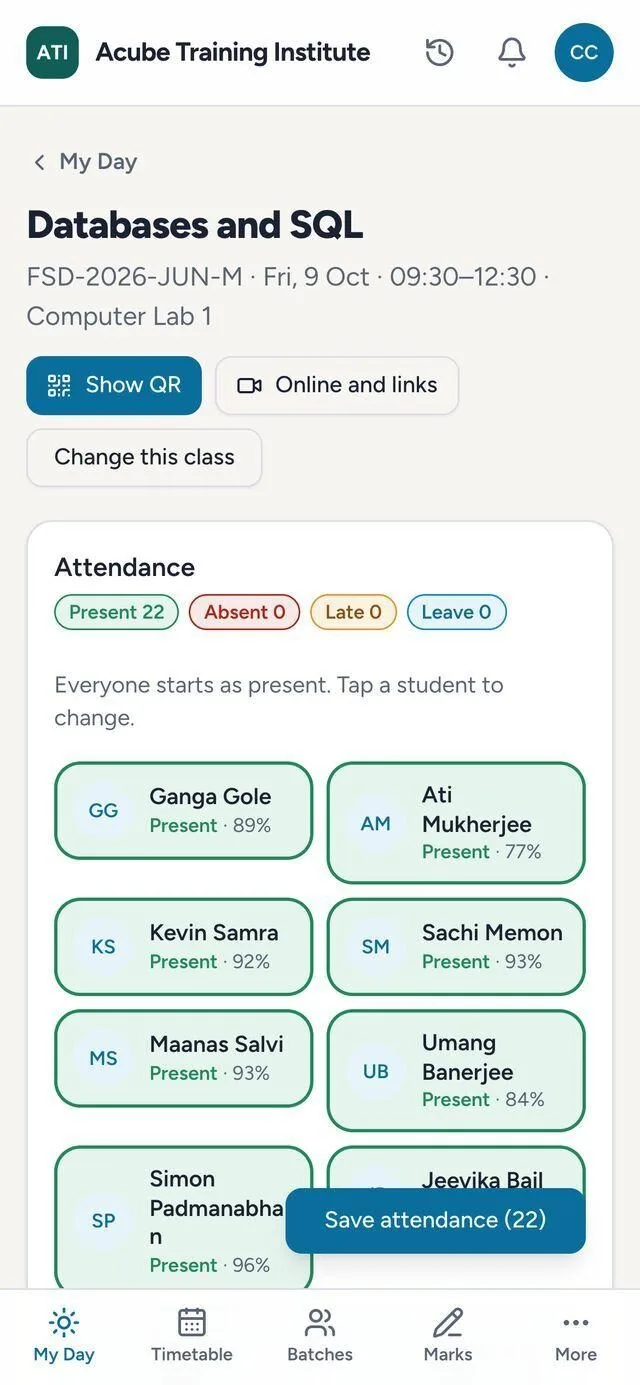
Students scan the classroom TV. Or the trainer taps only the absentees — even with no signal.
code changes in 3s
Databases & SQL · 9:30 · Lab 1
Scan to check in
4of 22 checked in
Scans pre-fill present and late. The trainer checks and saves.
In the room, on the phone
Fire Warden · practical
14 present · 2 absent
No signal in the workshop? It waits on the phone.
 Sample data
The trainer's register.
 Sample data
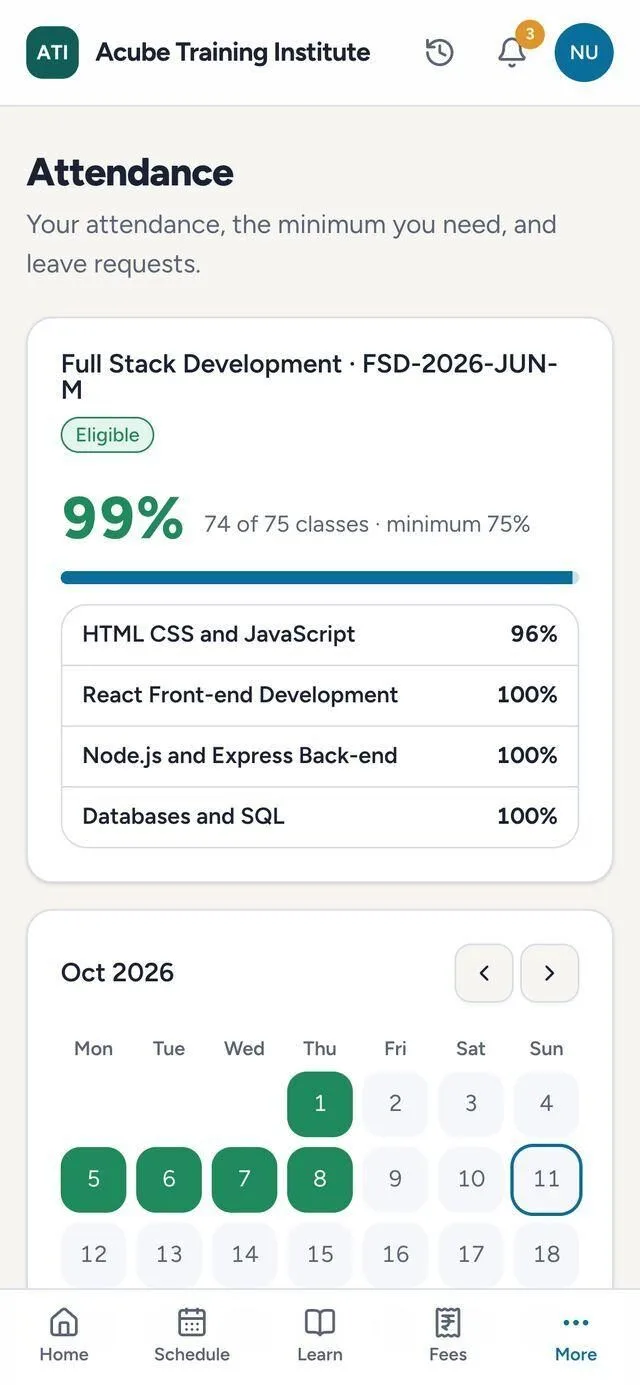
What the student sees.
Students who need attention
Parents get a weekly note when a child slips below the minimum.
Monday 7:00 · June diploma batchearly warning
Attendance, absences, work, exams, fees and sign-ins, read together.
 Sample data
The rest of the system
Talk to us, or get a quote in two minutes
A few plain questions about your centres and your batches. The figure appears before anyone calls you.
More detail
The trainer opens today's class from My Day. Everyone starts as present; a tap marks someone absent, late or on leave, with each student's attendance percentage on their card. Every saved mark feeds the percentage that certificates and alerts use.
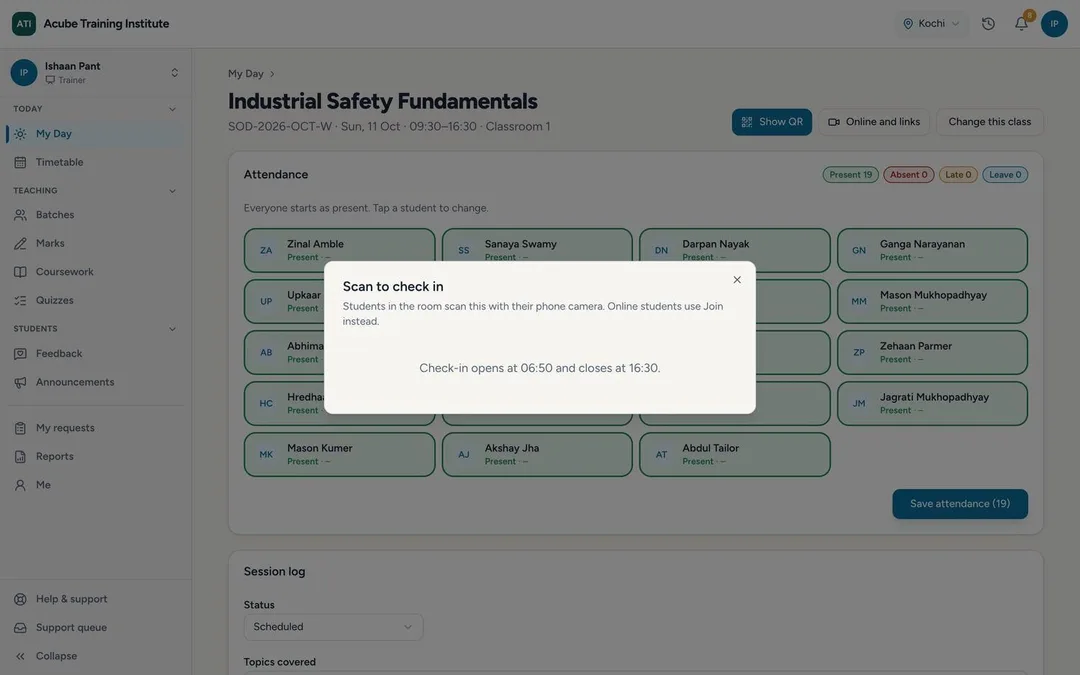
Students scan the trainer's screen with their phone camera and the register fills itself.
Attendance marked offline waits safely on the phone and syncs on its own when the connection returns. A classroom with no network is not a reason to go back to paper.
Any class can be in person, online or hybrid, with the meeting link of your choice. Students tap Join a few minutes before class and the trainer sees who joined. The recording link added after class sits on the class itself.
The Trainer desk is one page for a trainer's day: today's classes and exam duties, a prep card for the next class, what is waiting, how far each batch is through the course, and the students who need a word. Start class turns it into class mode: the check-in QR, the live roster, a quick poll, a practical with its PPE check, and End class and save.
Every Monday each running batch is checked: attendance below the minimum, absence from the last two classes, missing work, a failed exam, fees overdue, not signing in. Each signal adds points, giving a level — Watch, At risk or High. A student at risk gets a mentoring case: their mentor talks to them, notes what was agreed and closes it with an outcome.
Students see their attendance overall and per course, with a calendar and a gentle alert before it is too late. Parents get a weekly note when a child slips below the minimum, and can report an absence from their app.
A saved register stays locked. A trainer who needs to change a mark asks; the coordinator approves; the old entry is cancelled and amended, and the trainer is told.
The code refreshes every few seconds, so a forwarded photo doesn't work, and optional location and one-phone checks flag anything unusual.
Yes. Marks saved offline are kept on the phone and sync when the connection returns.
Yes. Students join from the app and the trainer sees who joined.
Yours to set. It drives the certificate rule, the student's alerts and the weekly parent note.
Through a correction request the coordinator approves, with the change recorded.
Yes, in the parent app, with a weekly alert when a child falls below the minimum.